saveRDS(mtcars, "data/mtcars.rds")3 mrgx::readRDS()
You can read an R object from an .rds file. To do this, use the templated function mrgx::readRDS(). This is a templated function because you have to specify the type of object coming back from the .rds file in the function call.
3.0.1 DataFrame example
For example, let’s take the mtcars data frame on a round trip:
- Write the data frame to an
.rdsfile - Compile a model that reads in the data frame from the
.rdsfile - Assign the data frame object to the model environment
- Get the object from the model environment
This is obviously a trivial example and normally, you’d do something with the object. But hopefully this will clearly illustrate how to use mrgx::readRDS().
First, create the file.
Now, we’ll use this model to read in the .rds file.
model/readRDS-1.solv
[ plugin ] mrgx

[ error ]

if(FINAL_ROW) {

  Rcpp::DataFrame mtc =
    mrgx::readRDS<Rcpp::DataFrame>("data/mtcars.rds");

  mrgx::assign("data", mtc, self);
}
Notice that the function call is:
Rcpp::DataFrame mtc = mrgx::readRDS<Rcpp::DataFrame>("<filename>");We have to not only tell the compiler about the type of object we are assigning to mtc, but we also have to specialize the mrgx::readRDS() function, saying we want a version that returns Rcpp::DataFrame.
mod <- mread("model/readRDS-1.solv"). Building readRDS-1_solv ... done.Just simulate from the model
out <- mrgsim(mod)Now, go into the model object and get() the data frame
env_get(mod, "data") %>% head(). mpg cyl disp hp drat wt qsec vs am gear carb
. Mazda RX4 21.0 6 160 110 3.90 2.620 16.46 0 1 4 4
. Mazda RX4 Wag 21.0 6 160 110 3.90 2.875 17.02 0 1 4 4
. Datsun 710 22.8 4 108 93 3.85 2.320 18.61 1 1 4 1
. Hornet 4 Drive 21.4 6 258 110 3.08 3.215 19.44 1 0 3 1
. Hornet Sportabout 18.7 8 360 175 3.15 3.440 17.02 0 0 3 2
. Valiant 18.1 6 225 105 2.76 3.460 20.22 1 0 3 13.0.2 NumericVector example
If the .rds file contained a NumericVector, you’d have to tell the compiler that detail like this
model/readRDS-2.solv
[ plugin ] mrgx

[ error ]

if(FINAL_ROW) {

  Rcpp::NumericVector random =
    mrgx::readRDS<Rcpp::NumericVector>("data/random.rds");

  mrgx::assign("random", random, self);
}
Now let’s round-trip this vector or random numbers
set.seed(1234)

x <- rnorm(10)

saveRDS(x, file = "data/random.rds")

mod <- mread("model/readRDS-2.solv")
. Building readRDS-2_solv ... done.out <- mrgsim(mod)
env_get(mod, "random"). [1] -1.2070657 0.2774292 1.0844412 -2.3456977 0.4291247 0.5060559
. [7] -0.5747400 -0.5466319 -0.5644520 -0.89003783.0.3 Function example
You could also use this mechanism as a way to call an R function in your model.
This is a function factory, creating a function to do a random draw from a fixed mean and sd.
makef <- function(mean, sd) {
  force(mean)
  force(sd)
  function(n) {
    rnorm(n, mean, sd)
  }
}

saveRDS(object = makef(100, 10), file = "data/draw.rds")
Load this model.
model/readRDS-3.solv
[ plugin ] mrgx

[ error ]

if(FINAL_ROW) {

  Rcpp::Function draw =
    mrgx::readRDS<Rcpp::Function>("data/draw.rds");

  Rcpp::NumericVector numbers = draw(1000);

  mrgx::assign("numbers", numbers, self);
}
Here, we get the function from the .rds file and call it, asking for 1000 replicates using the mean and sd specified above.
mod <- mread("model/readRDS-3.solv"). Building readRDS-3_solv ... done.Simulate and get the results.
out <- mrgsim(mod)

x <- env_get(mod, "numbers")

hist(x)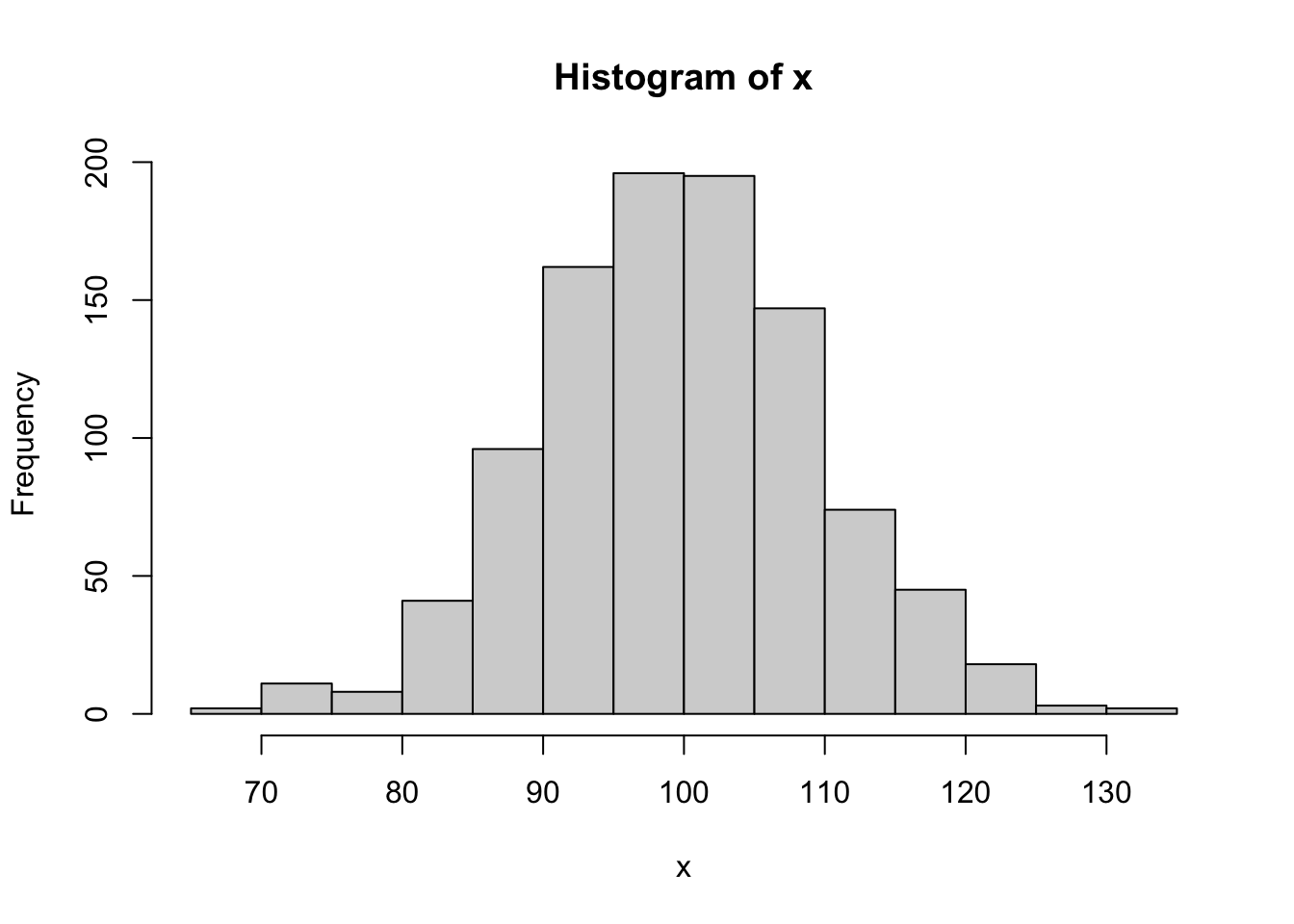
Again, these are all just simple examples to show you how you can shuttle R objects into your mrgsolve model. If you needed this functionality, you’d more than likely call the function or work with the object coming from the .rds file in your model. If you did need to check on what happened, you can always assign() like we do here to see the object once the simulation ends.